Laptop BIOS Tuning When Your BIOS Is Locked.
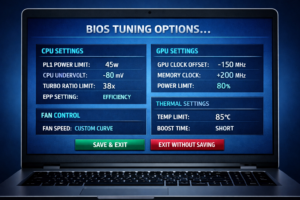
Laptop BIOS Tuning: What You Can (and Can’t) Do on Locked BIOS Laptops.
Not every laptop gives you a friendly, open BIOS. Some manufacturers lock down almost everything — power limits, RAM settings, undervolting, fan curves, even basic toggles.
But here’s the truth, most people don’t realise:
A locked BIOS doesn’t mean you can’t tune the laptop. It just means you tune it differently.
This guide explains what’s locked, what isn’t, and how software can often achieve what the BIOS won’t let you touch.
1. Why Some BIOSes Are Completely Locked
Manufacturers lock BIOS menus for several reasons:
- Reduce support tickets
- prevent users from bricking systems
- comply with regional regulations
- protect VRMs from overload
- Simplify warranty handling
Brands like Medion, Dell, Lenovo, and many OEM white‑labels often ship with mega‑locked BIOSes. This is normal — and it’s not a sign of a bad laptop.
2. What You Can’t Do on a Locked BIOS
When the BIOS is locked, you usually lose access to:
- PL1 / PL2 power limit controls
- CPU undervolting
- RAM timings
- XMP profiles
- GPU power limit adjustments
- Advanced fan curve menus
- iGPU memory allocation
- Hidden chipset menus
If you open the BIOS and see almost nothing, that’s why.
But this is where most people give up — and they shouldn’t.
3. What One Can’t Do in BIOS… One Can Often Do in Software
This is the part most laptop owners never learn.
Even with a locked BIOS, you can still tune:
CPU behaviour
- ThrottleStop → turbo limits, EPP, speed shift
- Intel XTU (if supported) → limited undervolt, PL adjustments
- Ryzen Controller → PPT, TDC, EDC on AMD units
GPU behaviour
- MSI Afterburner → curve tuning, undervolt, temp targets
- NVIDIA Control Panel → power management mode
- OEM GPU tools → boost behaviour on some models
Fan control
- FanControl → custom curves on EC‑supported laptops
- OEM utilities → performance modes, fan presets
Thermal behaviour
- Windows power plans
- OEM performance modes
- EPP tuning
- Background process control
You’re not hacking anything — you’re simply using the tools the system already allows.
4. The Secret Most People Don’t Know: EC Firmware Rules Everything
Even if the BIOS is locked, the EC (Embedded Controller) is what actually enforces:
- fan speeds
- thermal thresholds
- boost duration
- power limits
- battery behaviour
Software that talks to the EC can override behaviour without touching the BIOS at all.
This is why a locked BIOS ≠ locked laptop.
5. Safe Tuning: The Laptop Sleepers Way
We don’t open laptops. We don’t repaste. We don’t void warranties. We don’t flash modded BIOSes.
We tune laptops as they arrive, using:
- manufacturer‑safe tools
- EC‑friendly software
- reversible settings
- documented changes
This keeps the review honest and keeps the laptop safe.
6. When BIOS Tuning Actually Matters
Unlocked BIOSes are useful for:
- enthusiasts
- overclockers
- RAM tweakers
- people who want full control
But for 90% of users — and for most modern laptops — software tuning gives you 80–90% of the gains without touching a single BIOS menu.
7. Final Thoughts
A locked BIOS isn’t a dead end. It’s just a different workflow.
Modern laptops can be tuned safely and effectively using software alone, and in many cases, the results are just as good as BIOS‑level adjustments.
If your BIOS is locked, don’t panic — you still have options, and we’ll show you how to use them.